
Contacts serve as your virtual rolodex on Clarra, and connect with other Sections including Matters, Events, and more. Contacts are also customizable, as you can create Custom Fields to include additional, tailored information about your Contacts.
The video below reviews how to create a Contact as well as an associated Custom Field for the Contact. The rest of this article goes over how to find the New Contact page, different Contact Types available, and linking Contacts to Matters.
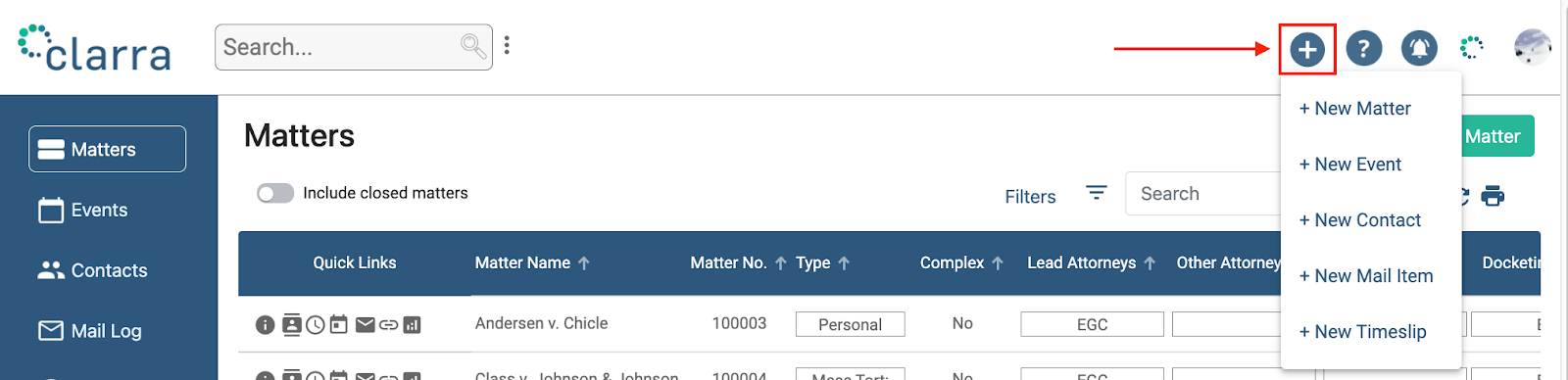
To begin, navigate to any page within the Clarra system. Click the "+" icon located at the top right of the screen and select "+ New Contact" from the dropdown menu.
Contact Types and Details
You can add contacts as either individuals (Person) or entities (Company). Each type of contact can be linked to specific matters within Clarra.
Linking to Matters
While adding a contact, you have the option to associate them with one or more matters. Specify the nature of their connection using customizable connection types, accessible through the Contacts tab in the Data Properties section of Account Administration. This allows you to tailor the relationship settings to meet the specific needs of your firm or the particularities of the matter.
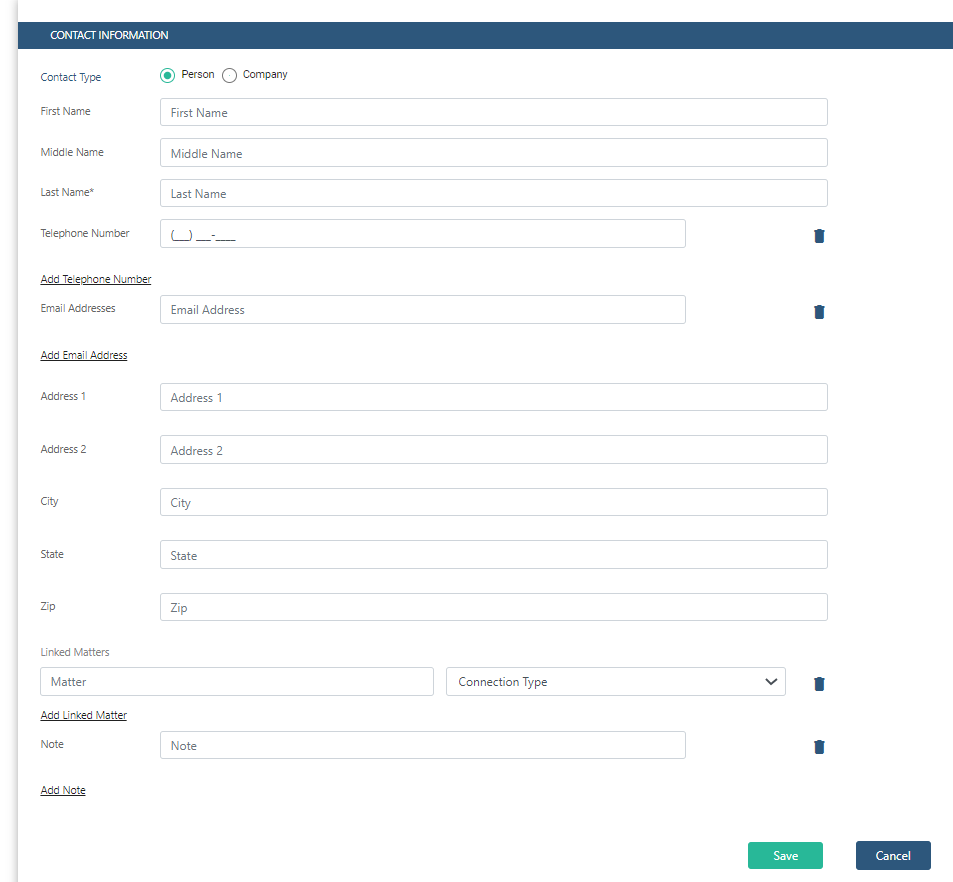
This streamlined approach ensures that all contact details are appropriately categorized and easily accessible, enhancing the efficiency of case management and communication.
Comments
0 comments
Please sign in to leave a comment.